How can I view my students' login information?
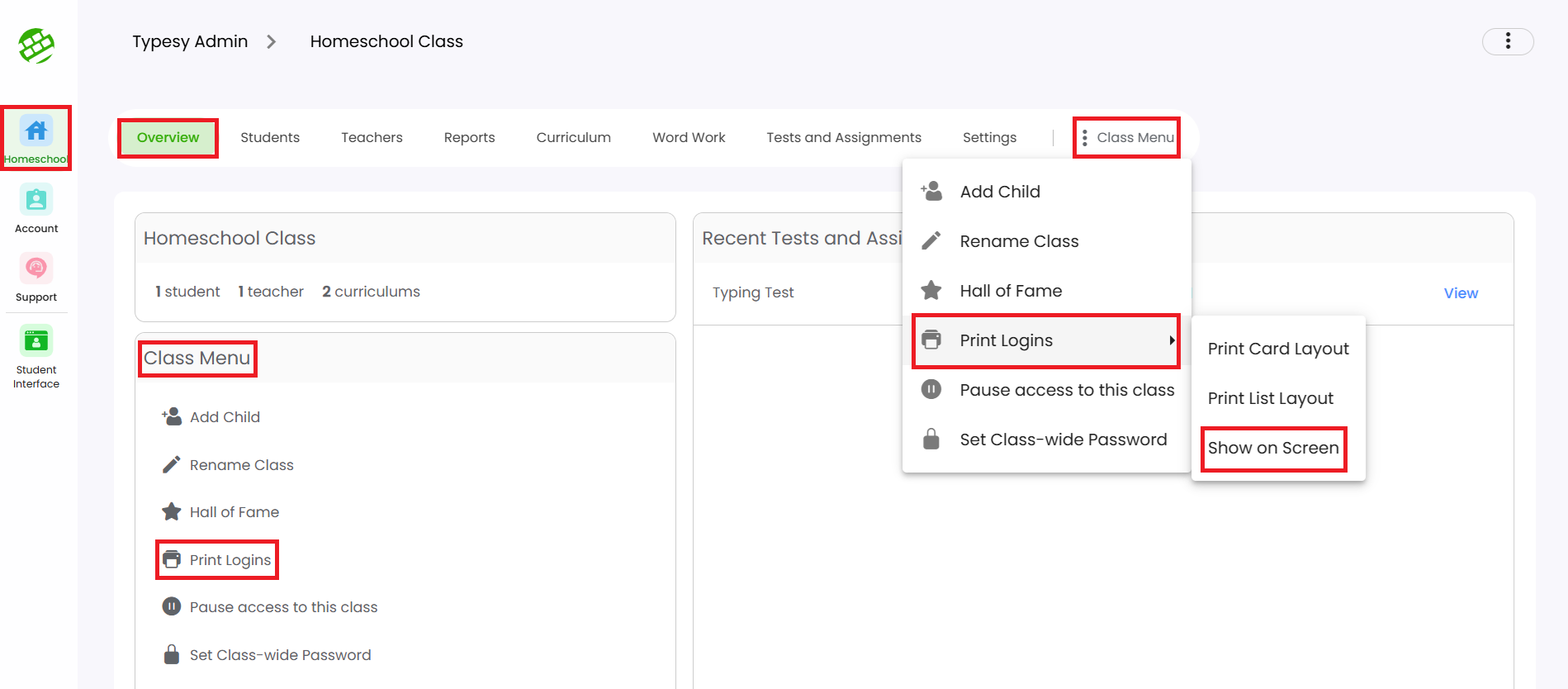
1. From the Class Overview, click on Print Logins from the Class Menu, then select Show On Screen.
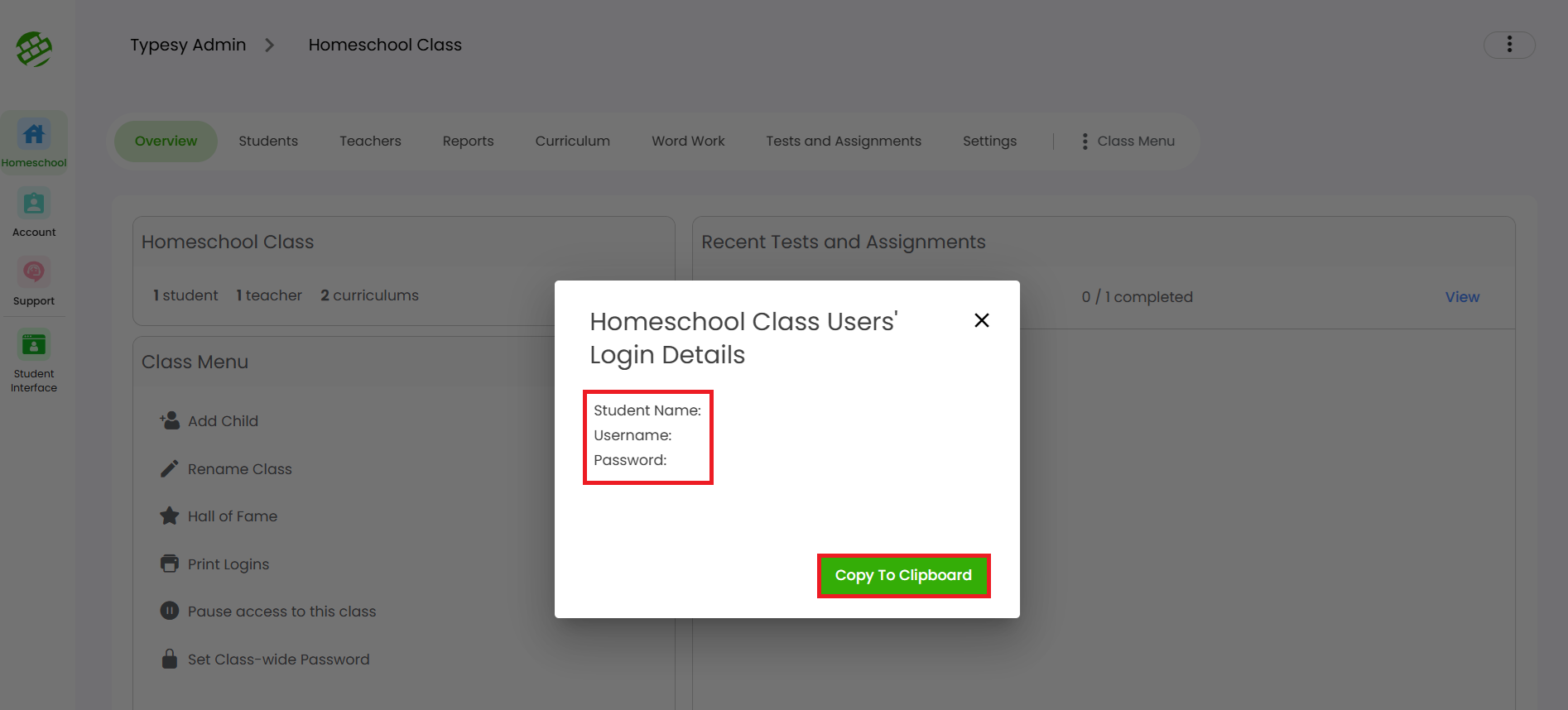
2. Here, you'll be able to view your students' names, usernames, email addresses (if they have one), and passwords. You may also click on Copy to Clipboard to copy their login details and paste them into a note or document.
IMPORTANT NOTE
Only system-generated 4-key passwords will be visible to you. If you or a student manually created the password, it will not appear in the password field.
If you would like to assign a 4-key password, please refer to this guide: How to reset or change a student's password
Related Articles
How does the Login As feature work?
The Login As option allows you to sign in as a student. When using this feature, you will be accessing their account as if you were the student, and any actions or progress made will be recorded in real time on their reports. There are two ways to ...Information on Student Privacy and DPAs for Typesy
As an approved vendor in many educational settings, Typesy is a trusted partner for secure and effective learning solutions. If your district requires a Data Privacy Agreement (DPA) to begin a trial or Typesy subscription, we’re happy to accommodate ...Can I have my students login through Google without a Google Classroom setup?
Yes, your students can definitely sign in using the SSO option with Typesy, even if you don't have a Google Classroom setup. When creating their accounts individually or importing them via the CSV import option, you can simply include their Google ...How can my students sign in?
Students can sign in to their Typesy accounts using their Username or Email Address and Password. If they use a Single Sign-On (SSO) option (such as Google, Microsoft, Apple, ClassLink, or Clever), they can click the corresponding “Sign in with” ...How can I monitor my students?
Monitoring your students in Typesy is designed to be simple, hassle-free, and customizable. 1. By going to a class and clicking on the Students tab, you will be able to monitor what your students are working on, their last activity, and more. 2. You ...