How do I Turn On my Public Profile?

What is Public Profile?

The Public Profile page lets users showcase their typing credentials—speed, accuracy, and a keyboard heat map—to potential employers.

1. Click your profile picture in the upper-right corner of your Typesy screen.



2. Select Edit Profile, then toggle Public Profile ON (blue) or OFF (gray).
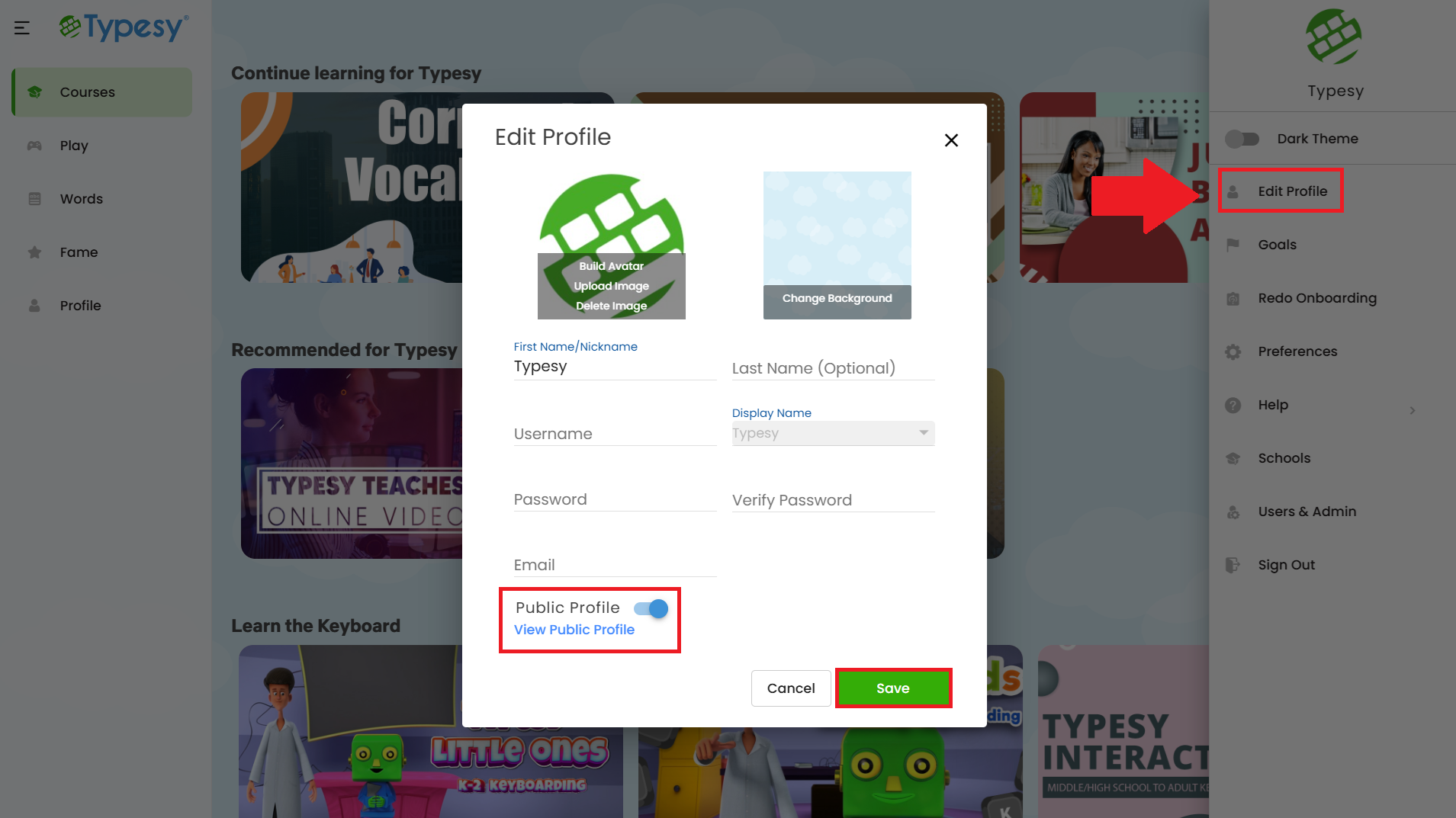


3. When ON, you can click View Public Profile to open your profile page and copy the link to share with friends, colleagues, or employers.


IMPORTANT NOTE

If you toggle your Public Profile OFF, access to your public profile will be immediately disabled. Your name will also be removed from the user sitemap within 24 hours.

Please note that If your profile was previously indexed by Google, it may take a few days for search results to update after Google re-crawls Typesy.

 
    • Related Articles

    • How can I edit my profile?

      1. Click your profile picture in the upper-right corner of your Typesy screen. 2. Select Edit Profile. From here, you can: Build your avatar, upload a profile picture, change the background, update account info, and enable or disable the Public ...
    • What is Public Profile?

      The Public Profile page lets users showcase and certify their credentials, including typing speed, accuracy, and keyboard heat map — ideal for sharing with employers. 1. Click your Profile picture in the upper right corner of your screen. 2. Select ...
    • Section 1: Company Profile, Background, and Financial Viability

      What is the company profile, operational background, and financial stability of the vendor? The platforms are owned, designed, and maintained by eReflect, an established educational technology enterprise founded in 2006. The organization serves over ...
    • How can I edit my profile?

      1. Click on your Profile picture located in the upper right-hand corner of your Typesy screen: 2. Next, click on Edit Profile. Here, you can build your avatar, upload a profile picture, change the background, update account information, and enable or ...
    • Section 7: Customer Support, Service Level Agreements, and Implementation

      What customer support channels and Service Level Agreement (SLA) response times are guaranteed? Multi-channel technical support is available through email, support ticket submission, and live web chat. For district-level deployments, the technical ...