Typesy Hall of Fame
Typesy Hall of Fame displays the top 50 users who have earned the most Typesy status points for the current week and the previous week, depending on the selected tab.
The weekly total resets every Sunday at 1:00 PM UTC. It's important to note that only points earned during the current week are counted, not a user's overall total.
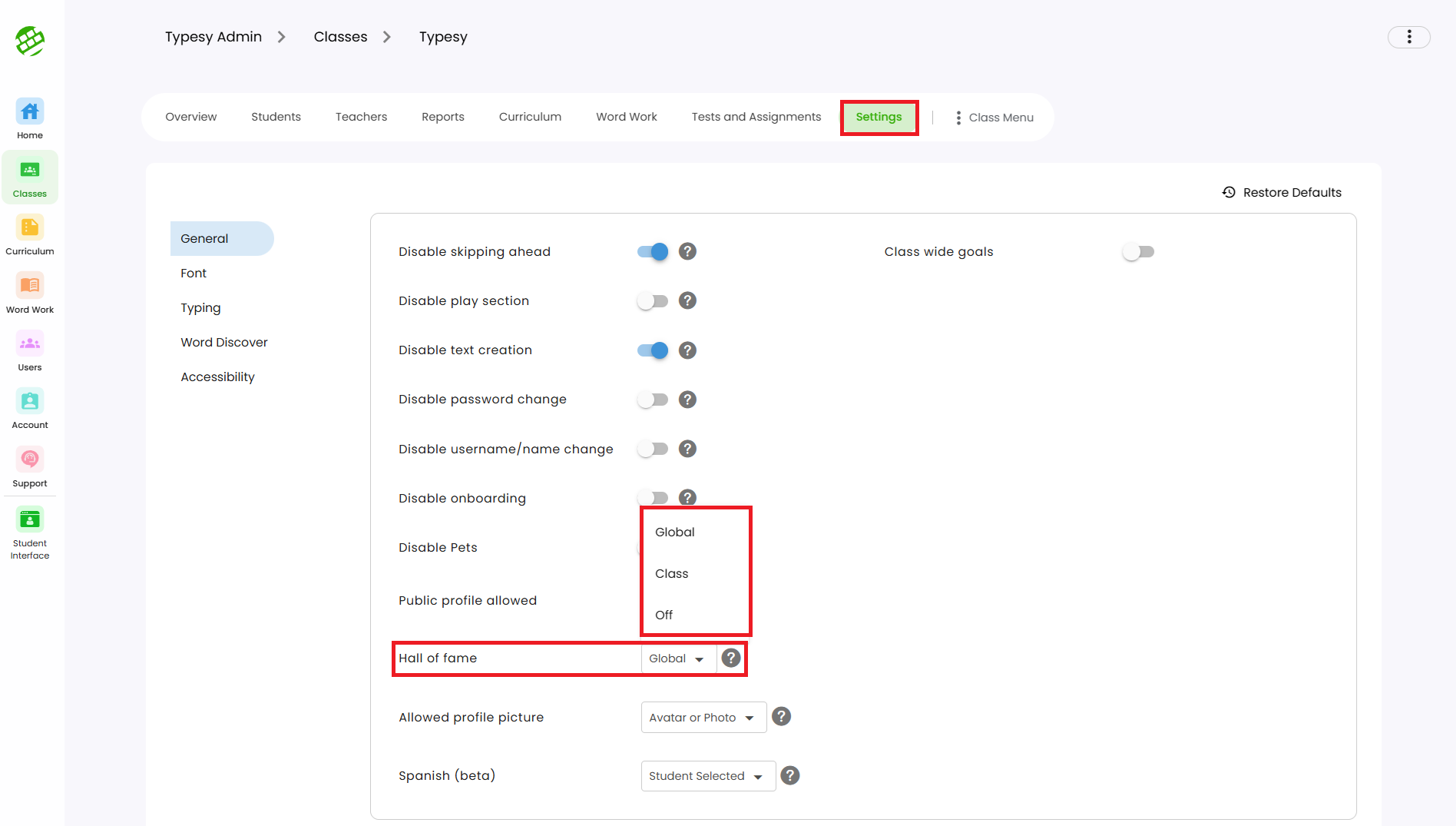
Typesy Hall of Fame Settings
There are three display options you can choose from to control what appears on the Hall of Fame board:
Typesy Hall of Fame Settings
There are three display options you can choose from to control what appears on the Hall of Fame board:
1. Global – Shows the Global Hall of Fame, displaying weekly Typesy point totals from all Typesy EDU users worldwide.
2. Class – Shows Hall of Fame results only for students in your class.
3. School – Shows Hall of Fame results only for students in your school. (Available for district-level accounts.)
4. Off – Disables the Hall of Fame feature for your students.
These settings can be found by going to Class > Settings > Hall of Fame.