How to Pause or Resume Your Monthly Subscription
When your subscription is paused, you will not be charged, and any unused days in your billing period will remain available once the subscription is unpaused.
Example
If your subscription is billed every 10th of the month and you pause it on January 20 for 1 month:
- Your account will be paused from January 20 to February 20.
- The February 10 billing will be skipped.
- Your account will automatically resume on February 20.
- Your next charge will be on March 10.
You will still have the remaining 20 days from your January billing cycle (January 20 to February 10) available to use after the account resumes on February 20.
This means your subscription will be fully active again from February 20 to March 10, without any additional charge during that time.
How to Pause Your Subscription
1. Go to Users & Admin:
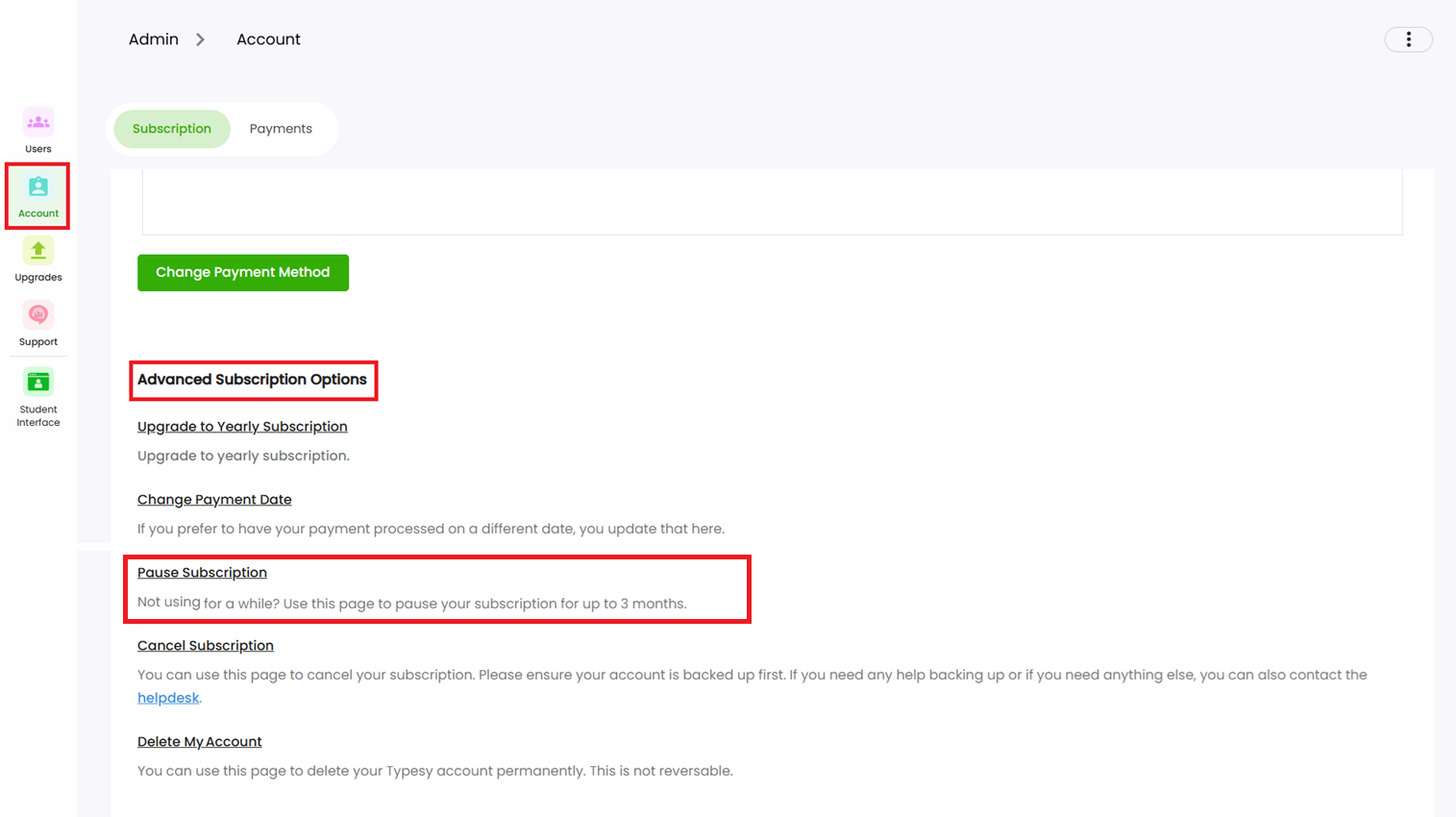
2. Select Account.
3. Click on Pause Subscription.
4. Choose your pause duration and confirm.
How to Unpause Your Subscription
To resume your subscription before the pause ends, simply reach out to us:
1. Submit a request via the Helpdesk.
2. Or contact us directly through Live Chat, available in any of our Help pages: